Best Amazon Cart Sharing Apps & Extensions in 2026
There's a few free Chrome extensions and apps available for sharing your Amazon cart as a link. There are also Amazon's own tools, like shared Lists and Amazon Business, which solve related but different problems.
However...
While some extensions are great.... some most certainly aren't!
TL;DR: After testing the 4 most popular extensions, AMZ Cart Share is my top pick for sending an Amazon cart to someone else. It's simple and free, worked well & preserved item quantities, and the recipient doesn't need to install anything. But it isn't the right tool for every job, so I've included a best option by use case table below.
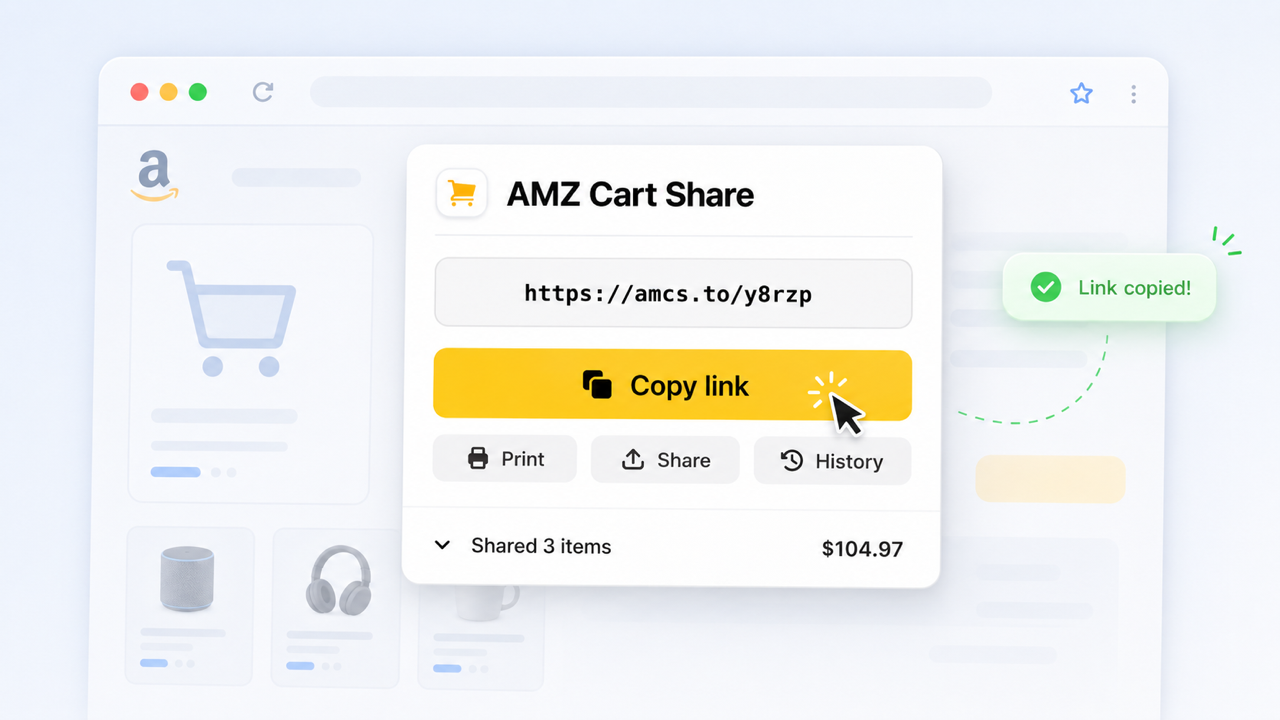
AMZ Cart Share came out on top as the best Amazon cart sharing extension, due to its ease-of-use and reliability
I've manually tested the 4 most popular Amazon cart sharing extensions to see how they stack up in 2026, and broken down their pros and cons in this article. For each one, I cover what it does well, where it falls short, and who it's best for. I also cover the alternatives to extensions: mobile apps, Amazon Lists, Amazon Business, and plain product links.
To determine which extensions to test, I've considered ones appearing prominently in the Chrome Web Store and web searches for Amazon cart sharing. And I've only included extensions with at least 1,000 users.
Overall, AMZ Cart Share came out on-top.
I might be a little biased - I built it! - but after testing all the alternatives, I genuinely think it's the best easy option for people trying to quickly share their Amazon cart.
Best option by use case
The right tool depends on what you're trying to do. Sending a finished cart is a different problem from maintaining a shared list, and both differ from formal purchasing at large organizations.
| Use case | Best option | Why |
|---|---|---|
| Sending an exact prepared Amazon cart | AMZ Cart Share | One link with every item and quantity. The recipient installs nothing |
| Families / couples | An Amazon List for running needs, AMZ Cart Share for a finished cart | Lists suit ongoing planning. A cart link suits a one-time handoff (more) |
| Repeated shared shopping | Amazon List | Several people can add and edit items, and the list stays up to date |
| Teams / purchasing approvals | Amazon Business for formal approvals; AMZ Cart Share for informal handoffs | Amazon Business simplifies complex approvals. A cart link for simple sending (more) |
| Business procurement | Amazon Business | Multi-user accounts, purchasing policies, and spend reporting |
| Multi-store cart sharing | Share-A-Cart | Supports 100+ retailers, not just Amazon |
| Sharing from a phone | Share-A-Cart mobile app or an Amazon List | AMZ Cart Share creates links on a computer. Recipients can open them on any phone |
| One or two products | Product links | No setup. Quantities don't matter much for a couple of items |
| Budgets and spreadsheets | AMZ Cart Export | Exports the cart to CSV with titles, quantities, and prices |
Extensions and apps compared
These are the four most popular Amazon cart sharing browser extensions I tested:
| Extension | Rating | Best for | Stores |
|---|---|---|---|
| AMZ Cart Share | 4.4/5 | Best overall, simplest experience | Every Amazon store worldwide (US, UK, CA, AU…), Fresh, Whole Foods |
| Share-A-Cart | 4.2/5 | Sharing across many stores | 100+ stores |
| Share Amazon Cart | 4.8/5 | Fresh carts & saved-for-later items | Amazon, Fresh, Whole Foods |
| Shopping Cart Share | 2.5/5 | Not recommended | Amazon, Best Buy, Walmart, eBay, Staples |
1. AMZ Cart Share (Best Overall)

AMZ Cart Share lets you easily share your Amazon shopping cart with someone, by sending your items as a single link.
Rating: 4.4/5 on the Chrome Web Store
After testing all these other popular extensions, I genuinely believe AMZ Cart Share is the best choice for anyone just looking to quickly share their Amazon cart.
AMZ Cart Share does one thing, well - you open your Amazon cart, click the extension, and get a shareable link that includes all your items and their exact quantities. You can send your shareable link to anyone, and they can then add everything to their own cart in 1-click. Simple!
It's completely free, has 12,000+ weekly users, and 90+ 5-star reviews on the Chrome Web Store. Since December 2024, people have used it to share 40,000+ Amazon carts.
It works across all major browsers - Chrome, Edge & Firefox on Windows, Mac, Linux and ChromeOS - and on every Amazon store, from Amazon.com to Amazon.co.uk, Amazon.ca and Amazon.com.au. It's also super easy for the receiver. The person you're sharing with doesn't need to install the extension, they just click your link, on any device (including their phone).
The main limitation is that shared cart links are read-only. The recipient can view and add items, but they can't edit the shared list. If you need an editable list, check out Amazon Lists.
AMZ Cart Share also supports sharing Amazon Fresh and Whole Foods carts.
If you use Amazon for grocery delivery, you can share your Fresh or Whole Foods cart the same way you'd share a regular cart. This versatility makes it perfect for families, teachers sharing supply lists, and office teams coordinating purchases.
Key info:
- Rating: 4.4/5 on the Chrome Web Store
- Stores: Every Amazon store worldwide, detected automatically
- Size: 475kb, small and lightweight
- Permissions: Amazon URLs only, making AMZ Cart Share the most narrowly-scoped extension here - perfect if security is important.
2. Share-A-Cart (Best for Multiple Stores)
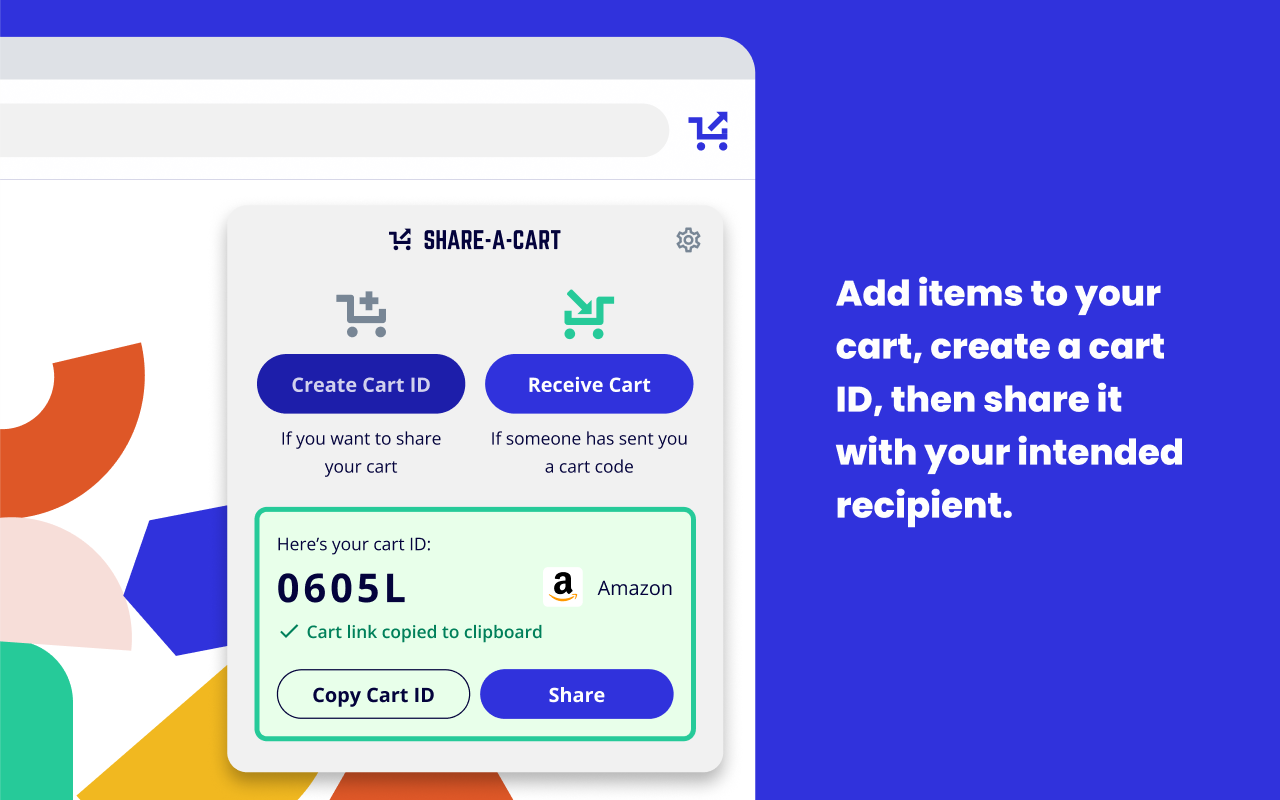
The Share-A-Cart Chrome extension can share carts across hundreds of online retailers, including Amazon.
Rating: 4.2/5 on the Chrome Web Store
Share-A-Cart is a well-established extension that supports 100+ online stores (not just Amazon). If you regularly shop across multiple retailers and want a single extension to handle them all, Share-A-Cart is the most comprehensive choice.
It works by generating a unique cart code that you share with someone. The recipient typically installs the extension (although that's not always required), enters your code, and the shared items get added to their cart.
The main downside? If you only need to share Amazon carts, Share-A-Cart can feel a little overkill.
The multi-store support adds complexity to the extension you might not need or want if you're just trying to share your Amazon cart. That said, if you shop at Target, Walmart, Best Buy, and other stores alongside Amazon, Share-A-Cart is a great tool.
You can view all their supported retailers here
Key info:
- Rating: 4.2/5 on the Chrome Web Store
- Size: 12.69MB, larger and more heavyweight extension
- Permissions: All URLs, presenting a larger risk surface area; The Share-A-Cart extension can read data on any page you visit, although it's likely they only do so for supported retailer sites.
3. Share Amazon Cart (Best for Fresh & Saved-for-Later)
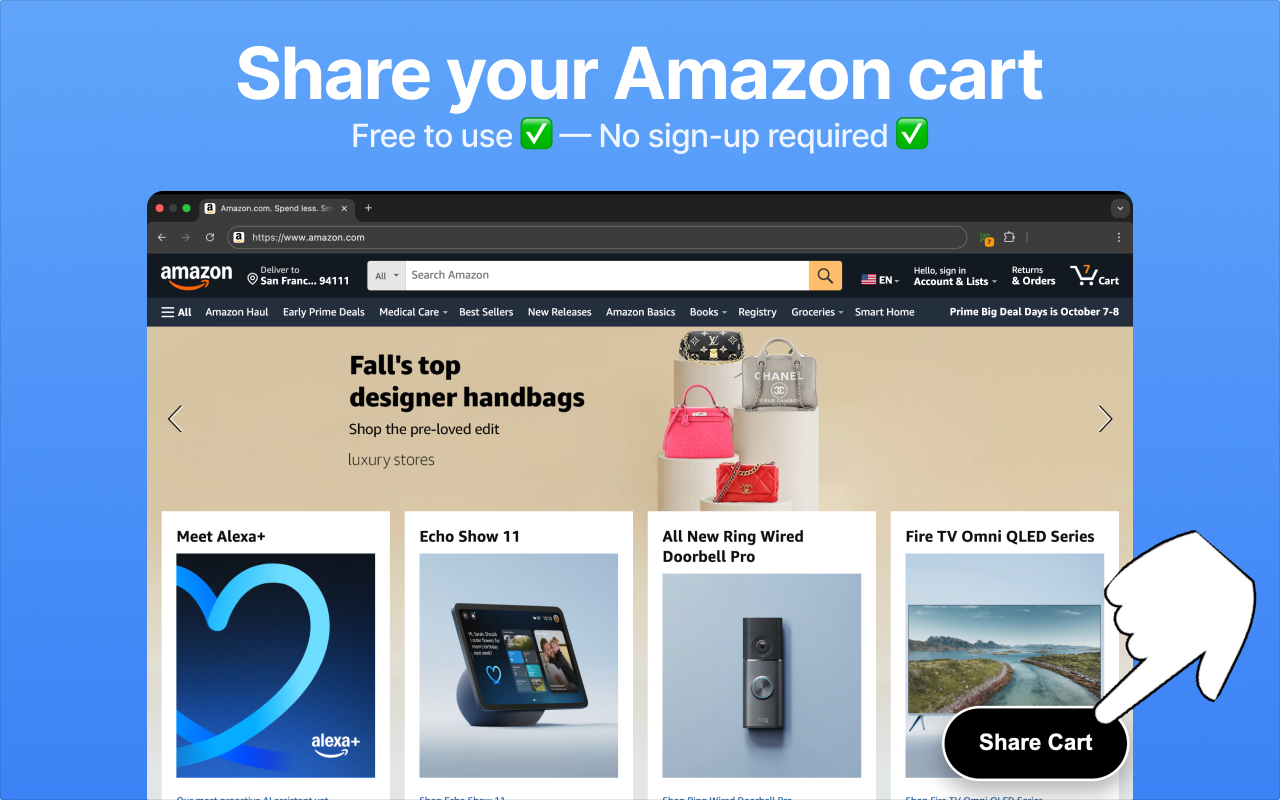
Share Amazon Cart Chrome extension, good for sharing Amazon Fresh carts and saved-for-later items.
Rating: 4.8/5 on the Chrome Web Store
Share Amazon Cart is a solid extension with one standout feature: it can share your "Saved for Later" items, not just your regular cart.
The saved-for-later sharing support is handy if you've been collecting items there and want to share or export them all at once. The support for alternative markets, like Amazon Fresh and Whole Foods, is also nice.
It's worth noting though that AMZ Cart Share now also supports Amazon Fresh and Whole Foods carts, so the main differentiator for this extension is its saved-for-later sharing feature. So if saved-for-later matters to you, Share Amazon Cart is a great pick.
It's also the highest-rated extension on this list, giving it a strong tick of approval. Although it's worth noting that it has substantially less users than AMZ Cart Share or Share-A-Cart. It worked well though during my testing, so I recommend it if, for whatever reason, you don't fancy either of the first two extensions in this list.
Key info:
- Rating: 4.8/5 on the Chrome Web Store
- Size: 3.92MB, relatively large for a simple extension
- Permissions: All URLs, again presenting a larger risk surface area, similar to Share-A-Cart.
4. Shopping Cart Share (Avoid)
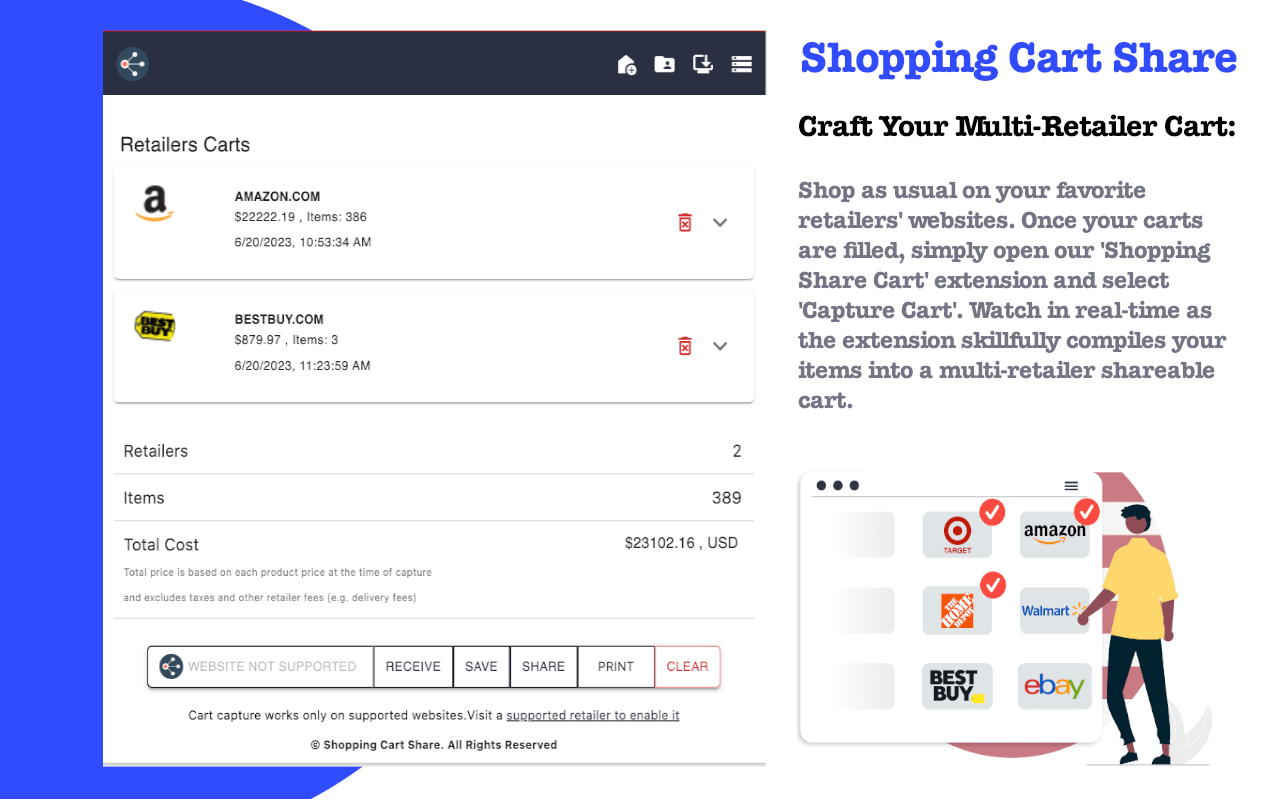
Shopping Cart Share Chrome extension was once popular, but is now outdated and not recommended.
Rating: 2.5/5 on the Chrome Web Store
Shopping Cart Share was once a popular option, but it has languished. The low rating and lack of recent updates suggest it's no longer actively maintained.
I'm including it here for completeness (remember, I reviewed all cart-sharing extensions with 1,000+ users), but I wouldn't recommend it. With better-maintained options like AMZ Cart Share and Share-A-Cart available, there's no reason to install an extension with serious issues (as noted by many reviewers).
If you're currently using Shopping Cart Share, I'd suggest switching to one of the other extensions above.
Key info:
- Rating: 2.5/5 on the Chrome Web Store
- Size: 850kb, relatively lightweight
- Permissions: All Amazon, Best Buy, Staples, Walmart and eBay URLs. While not as expansive as Share-A-Cart and Share Amazon Cart, it's a much longer list of allowed hosts than AMZ Cart Share.
Other ways to share Amazon items (beyond extensions)
Browser extensions aren't the only option. Here's how the other categories compare:
| Solution type | Examples | Sends exact cart + quantities | Multiple editors | Best for |
|---|---|---|---|---|
| Browser extension | AMZ Cart Share, Share-A-Cart, Share Amazon Cart | Yes (as a snapshot) | No | Handing off a prepared cart |
| Mobile app | Share-A-Cart app | Yes (as a snapshot) | No | Sharing a cart from a phone |
| Amazon List | Built into Amazon | No | Yes, with edit access | Ongoing collaboration |
| Amazon Business | Amazon's business purchasing accounts | Not its purpose | Multi-user accounts | Formal procurement and approvals |
| Product links | Copy and paste | No | No | One or two products |
| Print or export | Printed cart, AMZ Cart Export | As a document or spreadsheet | No | Budgets and purchase records |
Mobile apps
AMZ Cart Share and most cart-sharing extensions create links on desktop browsers only, although anyone can open an AMZ Cart Share link on their phone. The Amazon Shopping app doesn't have a share-cart feature, although it can share Lists and individual products.
If you need to share an exact cart from your phone, the Share-A-Cart mobile app is the main option. Otherwise, a shared Amazon List works well from the Amazon app. See how to share an Amazon cart on iPhone or Android for the step-by-step.
Amazon Lists
You don't need an extension to share Amazon items. Amazon has a built-in feature for sharing Lists: you create a list, add items, and invite people to view it or edit it. See how to create and share an Amazon shopping list for the full steps.
Lists are the better tool for ongoing collaboration, like a household shopping list or a list of gifts that several people add to over time. Everyone sees the same up-to-date list.
The drawback is that Lists are completely separate from your cart. You have to add items to a list one by one, which is tedious if you've already built up a cart, and Lists don't preserve quantities the way cart-sharing extensions do.
Amazon Business
Amazon Business isn't really a standalone cart-sharing tool. It's Amazon's purchasing platform for organizations, with multi-user accounts, approval workflows, purchasing policies, and spend reporting.
If your company needs formal approvals, Amazon Business is the stronger tool. Cart-sharing extensions are useful for lighter handoffs, like an employee sending a cart to a manager, or when you're buying through regular Amazon accounts. See Amazon cart sharing for businesses for how the two fit together.
Product links
For one or two products, just copy each product URL and send it. There's nothing to install, but quantities aren't included, and it gets tedious for larger carts.
Printing or exporting a cart
Sometimes the person on the other end needs a document rather than a link, for example a finance team, a grant budget, or a reimbursement. You can print your Amazon cart, or use AMZ Cart Export to download it as a CSV spreadsheet.
For a full breakdown of the different methods, check out our in-depth guide on how to share an Amazon cart.
Conclusion
If you just want to send an Amazon cart to someone quickly, AMZ Cart Share is the best overall choice. It's simple, free, and the recipient can receive your cart without installing anything. It now also supports Amazon Fresh and Whole Foods carts, making it versatile across all the most popular Amazon storefronts.
If several people need to edit a list over time, use an Amazon List instead. If your company needs formal approvals and purchasing controls, look at Amazon Business.
If you shop across many different stores, or need to share a cart from your phone, Share-A-Cart is a solid alternative. And if you need saved-for-later sharing, Share Amazon Cart has you covered.
FAQ
What tools make group shopping on Amazon easier?
It depends on the group's workflow. Shared Amazon Lists work well when several people add items over time. A cart-sharing extension like AMZ Cart Share is easiest when one person builds the cart and sends it to whoever pays. Amazon Business suits companies that need formal approvals.
What are the best solutions for collaborative online shopping?
For ongoing collaboration, use a shared list that everyone can edit, like an Amazon List. For handing off a finished cart, use a cart-sharing extension. If you shop across many retailers, Share-A-Cart supports 100+ stores.
Are there apps that let teams coordinate Amazon orders?
Yes. Amazon Business provides multi-user accounts and approval workflows for organizations. For lighter coordination, AMZ Cart Share lets a team member send a prepared cart to the person who places orders. Nobody has to share an Amazon password.
Is there an Amazon shopping cart app for sharing carts?
Amazon's own app can't share a cart, only Lists and individual products. The Share-A-Cart mobile app can share carts from a phone. On desktop, browser extensions like AMZ Cart Share are the simplest option.
Can multiple people edit the same Amazon cart?
No. An Amazon cart belongs to one account. Cart-sharing extensions send a read-only snapshot of a cart. If several people need to edit, use a shared Amazon List.
Related Guides
- How to Share an Amazon Cart (2026)
- How to Share an Amazon Cart on iPhone or Android
- How to Share Your Amazon Cart Without Signing In
- Amazon Cart Sharing for Families
- Amazon Cart Sharing for Businesses
- How to Export Your Amazon Cart to CSV
- How to Share an Amazon Fresh Cart
About the Author
🙋♂️ Harrison Broadbent
Harrison is the founder/creator of AMZ Cart Share, a Chrome extension used by 12,000+ Amazon shoppers, schools, and businesses to share Amazon carts as links. He writes about ways to share, organize, and collaborate using shared Amazon shopping carts.
First published on 18th June, 2026