Print Your Amazon Cart or Save It as PDF
Amazon doesn't give you a particularly neat way to print your shopping cart. If you print the cart page normally, you tend to get a lot of page clutter along with the items you actually care about.
AMZ Cart Share has a built-in print view that strips all of that away. It turns your current cart into a compact list that you can print on paper or save as a PDF.
Here's what the finished printout looks like:
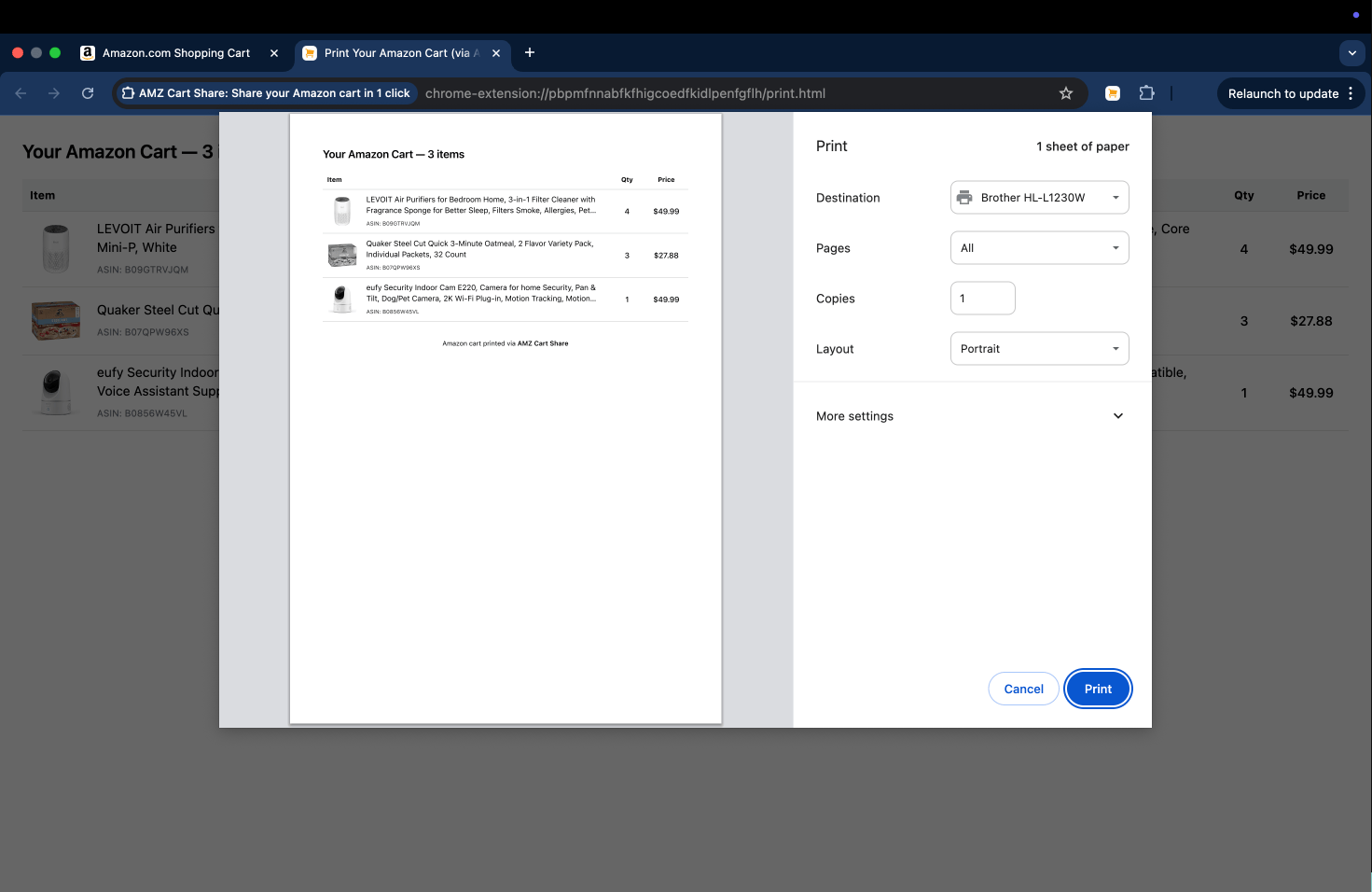
An Amazon cart printout created by AMZ Cart Share, with product images, titles, ASINs, quantities and prices, shown beside the browser print dialog.
Want to try it with your own cart? Install the free extension, then follow the steps below.
The button opens the Chrome Web Store. If you use Edge or Firefox, you can grab the right version from the extensions page.
🖨️ How to print your Amazon cart
Once the extension is installed, printing your Amazon cart is easy:
- Add the products you need to your Amazon cart and check that the quantities are right.
- Open your Amazon cart page, then click the AMZ Cart Share icon in your browser toolbar.
- Give the extension a moment to read the cart and show you a preview.
- Click Print at the bottom of the extension.
- A printer-friendly version of the cart will open in a new tab, followed by your browser's print dialog. Check the preview, choose your printer, and click Print.
💾 How to save your Amazon cart as a PDF
Saving a PDF follows the same process as printing, right up until the last step.
- Open the AMZ Cart Share print view (see instructions above) and wait for the print dialog to appear.
- Instead of choosing a physical printer, pick Save as PDF (the exact name varies a little between browsers and operating systems).
- Change the layout, margins, or other print settings if you need to.
- Click Save, choose where the file should go, and give it a useful name.
That's it!
You now have a PDF you can keep for your records or attach to an email, purchasing request, or approval form.
What's included in the printout?
The print view keeps things clean and simple.
For each product, it includes:
- The image and title
- THe ASIN
- The quantity you selected
- The item price shown in your cart
- The total number of items
Plus a calculated total based on the captured prices and quantities of all items.
A clean printout of all the items in an Amazon cart, ready to print or save as as PDF.
Using a printout or PDF for purchase approval
Printouts like this can become really handy when one person builds the cart, but somebody else approves or places the order.
For example, you might need to send a list of office supplies to the finance team at your company. By generating a clean printout like we've done, the approver gets one tidy document with the products, ASINs, quantities, and captured prices.
For more examples, check out some of our other guides: sharing an Amazon cart for a business and sending a cart to a school administrator.
Would a link or spreadsheet work better?
A printout or PDF works well when someone needs a document they can review, file, store long-term, or attach to another system.
However, if the other person needs to add the products to their own Amazon cart, a shared cart link will usually be easier.
And if instead they want to sort, edit, or manipulate the cart data, you can export the Amazon cart as a CSV spreadsheet instead.
About the Author
🙋♂️ Harrison Broadbent
Harrison is the founder/creator of AMZ Cart Share, a Chrome extension used by 12,000+ Amazon shoppers, schools, and businesses to share Amazon carts as links. He writes about ways to share, organize, and collaborate using shared Amazon shopping carts.
First published on 3rd July, 2025