How to create & share Amazon Shopping Lists
Table of contents
- What is an Amazon List?
- How to create a shopping list on Amazon
- How to share an Amazon List
- What collaborators can and cannot do
- Amazon List vs Wish List
- Amazon List vs your Amazon cart
- Amazon List vs a cart-sharing extension
- Comparison: which method should you use?
- Shared Amazon Lists for couples, families, and households
- Shared Amazon Lists for teams and offices
- Limitations of Amazon Lists
- FAQ
- Related guides
Quick answer: Go to Account & Lists → Create a List, give the list a name, and add products with the Add to List button on each product page. To share it, open the list, select Invite, and choose View only or View and edit. Then send the link.
Anyone you invite with edit access can add and remove items, which makes a shared List the best native Amazon tool for ongoing, collaborative shopping.
Amazon Lists are Amazon's built-in way for several people to plan purchases together. They're a good fit for a household shopping list, a "things we need for the new apartment" list, or a team's running supplies list.
They're not the same as sharing a cart, though. This guide covers how Lists work, what collaborators can and can't do, and when a shared cart might be a better fit.
What is an Amazon List?
An Amazon List is a saved collection of products, separate from your regular cart. You can have as many Lists as you like, each with its own name and its own sharing settings.
When you create a List, Amazon usually asks what kind of list it is:
- Shopping List: things you plan to buy, like groceries, household basics, or supplies for a project.
- Wish List: things you'd like, often shared with others as gift ideas.
Both types can be shared. The main difference is the intended use, and whether the list is private or visible to others by default. Registries, like wedding and baby registries, are a separate Amazon feature and aren't covered here.
How to create a shopping list on Amazon
On a computer
- Hover over Account & Lists at the top of Amazon and select Create a List.
- Name the list something obvious, like "Household" or "Office restock", then create it.
- Add products by opening each product page and selecting Add to List, then choosing your new list.
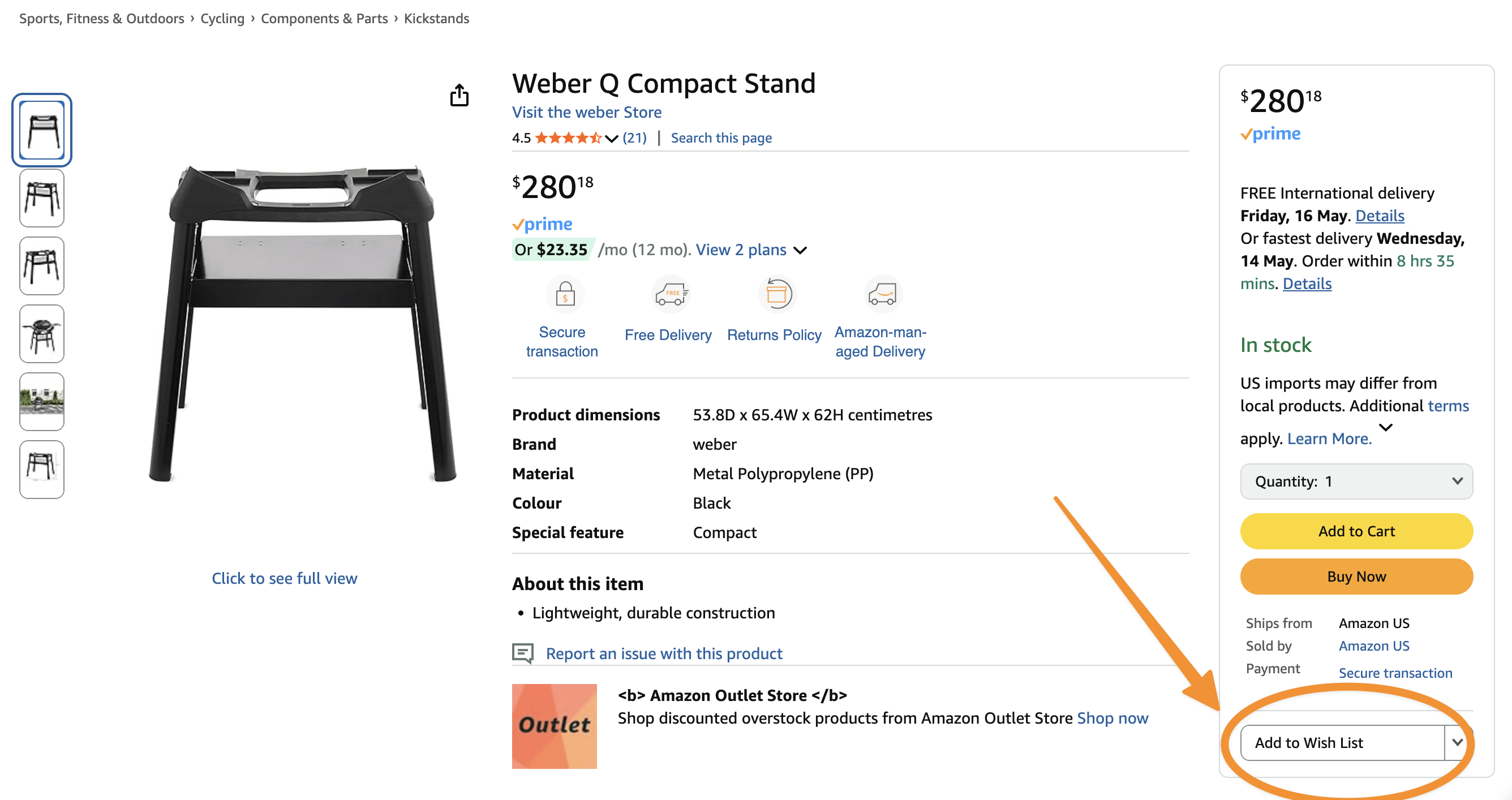
The Add to List control on an Amazon product page, used to add an item to a shared Amazon List.
In the Amazon app (iPhone or Android)
- Open the Amazon app, go to your profile, and open Your Lists.
- Create a new list and name it.
- On any product page, tap Add to List and pick the list.
The same List is available on the website and in the app, so you can add items from whichever is handy.
How to share an Amazon List
- Open Your Lists and select the list you want to share.
- Select Invite (in the app, this may appear as Invite or Send list to others).
- Choose a permission level:
- View only: people can see the list but can't change it.
- View and edit: people can add and remove items. This is what makes it a shared, collaborative list.
- Copy the link, or send it by email, text, or any messaging app.
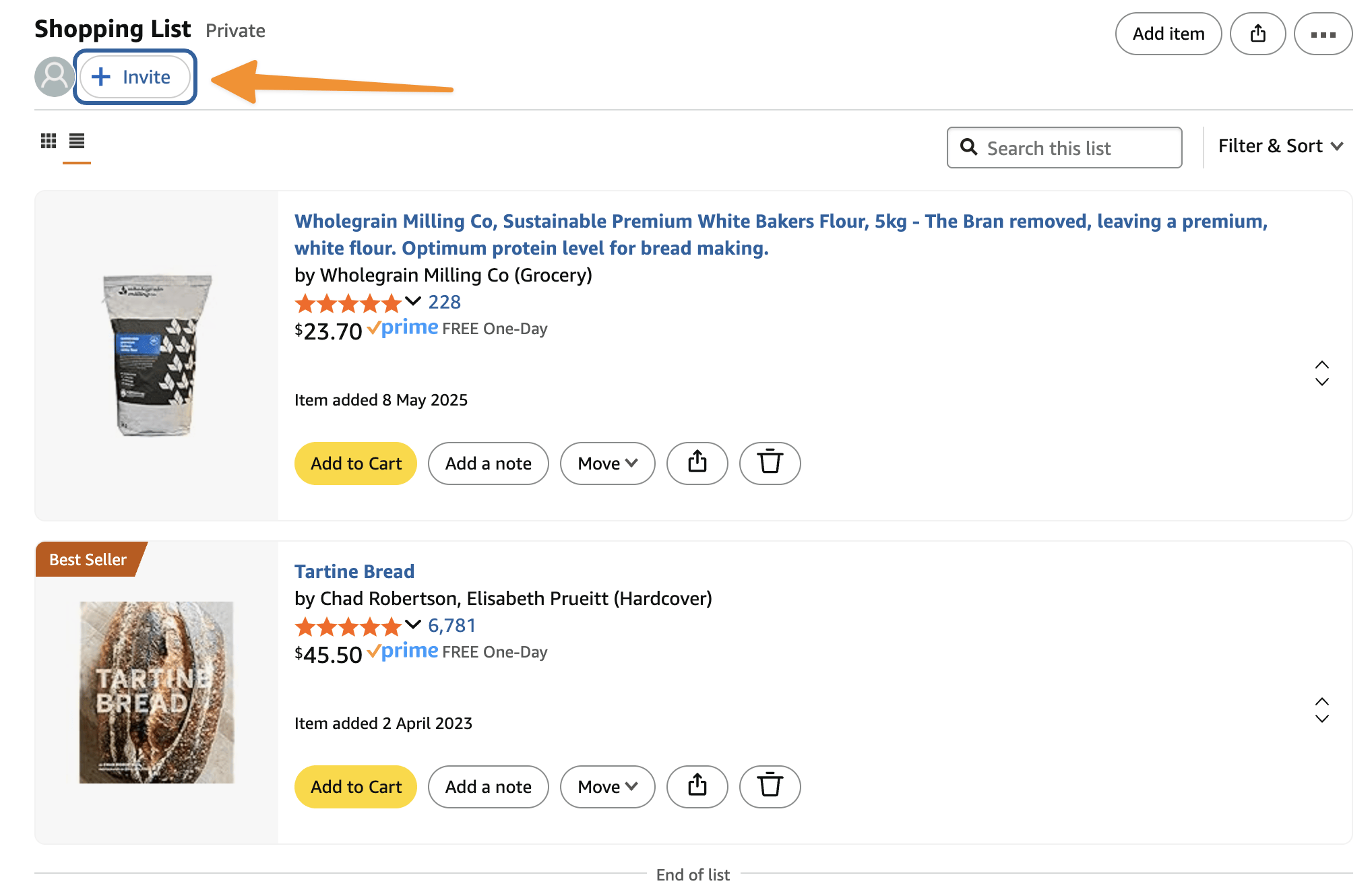
An Amazon List with the Invite button highlighted, used to share the list with collaborators.
Amazon's help page on sharing your List has the current options, which can vary slightly by country and device.
How to make a shared Amazon list with collaborators
To turn a List into a shared list that several people maintain, invite each person with View and edit access. Each collaborator needs their own Amazon account to accept the invite and make changes.
You can review who has access from the list's settings and remove people later.
What collaborators can and cannot do
| Collaborators with edit access can | Collaborators can't |
|---|---|
| See the list and every item on it | See your cart, orders, or payment details |
| Add new items | Buy anything with your account |
| Remove items | Check out the whole list as one ready-made order |
| Buy items from the list with their own account | Edit a list they were only given view access to |
People with view-only access can see the list and buy from it, but can't change it.
Each person who buys from a List does so from their own Amazon account and cart. A List is a shared plan, not a shared checkout.
Amazon List vs Wish List
A Wish List is a type of Amazon List, so they share the same sharing features. The difference is the purpose:
- Use a Shopping List for things you (or your household) plan to buy, like groceries, supplies, or a renovation shopping list.
- Use a Wish List for things you'd like others to buy, like birthday or holiday gift ideas.
If you're coordinating purchases with a partner or team, a Shopping List is usually the clearer choice. If relatives want to know what to get you, share a Wish List.
Amazon List vs your Amazon cart
Your Amazon cart is personal. It belongs to one account, and Amazon has no way to let several people edit the same cart.
| Amazon List | Amazon cart |
|---|---|
| Can be shared, and edited by invited people | Belongs to one account; can't be shared |
| Stays around for as long as you need | Built for the next checkout |
| Good for planning over days or weeks | Good for "I'm about to buy this" |
| Items move to a cart when someone buys them | Goes straight to checkout |
If you want several people to build up a shopping list over time, a shared List is the right tool. If you need someone else to see exactly what's in your cart right now, a List isn't a great fit, because you'd have to rebuild the cart as a list item by item.
Amazon List vs a cart-sharing extension
A cart-sharing extension like AMZ Cart Share solves a related, but different problem.
Instead of an ongoing, editable list, it turns the everyday Amazon cart you've already built into a single link. The recipient opens the link and adds every item, with quantities, to their own cart.
So when should you use either option?
- Shared List: several people collaborate on what to buy, over time. You don't mind spending a bit of time building the standalone shopping list.
- Cart-sharing extension: one person has already assembled the cart and wants to hand the whole thing to someone else. You want to quickly send items to someone else.
A shared cart link is a snapshot. It doesn't update, and nobody else can edit it. That's a limitation for collaboration, but it's exactly what you want for a handoff, like "here's the order, please buy it". See how to share an Amazon cart for that workflow.
Comparison: which method should you use?
| Method | Multiple editors | Live updates | Shares exact cart | Best for |
|---|---|---|---|---|
| Amazon List (shared) | Yes, with "View and edit" access | Yes | No | Ongoing collaboration |
| Wish List | Yes, if shared with edit access | Yes | No | Gift ideas and saved items |
| Product links | No | No | No | One or two products |
| AMZ Cart Share | No | No (snapshot) | Yes | Sending a prepared cart |
In short:
- Use a shared Amazon List when several people need to add, remove, and review items over time.
- Use a Wish List when others will be buying for you.
- Send product links when it's only one or two items.
- Use a cart-sharing extension when the cart is already built and you want to send the whole thing at once, quickly.
For a wider look at cart-sharing tools, see the best Amazon cart sharing apps & extensions.
Shared Amazon Lists for couples, families, and households
Shared Lists work especially well at home, where shopping needs pile up over a week and more than one person notices when something runs out.
- Couples: keep one shared "Household" list. Either partner adds things as they run low, and whoever orders next buys from it, which avoids double-buying.
- Families: a shared list for back-to-school supplies, a holiday, or a move lets everyone add what they need in one place.
- Gift planning: a shared Wish List gives relatives one place to check, so two people don't buy the same present.
Many households use both tools. They keep a shared List for everyday planning, then send a cart link when one person has put together a specific order for someone else to buy. The families guide covers that in more detail.
Shared Amazon Lists for teams and offices
A shared List can also work as a lightweight team supplies list, where staff add what they need and the office manager buys from it each week.
For approvals, spending controls, or multiple purchasers under one company account, Amazon Business is the better tool. See Amazon cart sharing for work, purchasing & approval for how these options compare.
Limitations of Amazon Lists
- Items are added one at a time. There's no one-click way to turn your existing cart into a List.
- A List isn't a checkout. Whoever buys still adds items to their own cart and checks out separately.
- Quantities are less prominent than in a cart, so it's worth noting how many you need if it matters.
- Collaborators need Amazon accounts to edit a shared List.
FAQ
How do I make a shared Amazon list?
Create a List from Account & Lists → Create a List, open it, select Invite, and choose View and edit. Anyone who accepts the invite with their Amazon account can add and remove items.
Can I share an Amazon shopping list with my spouse?
Yes. Invite them to the List with View and edit access. You'll both see the same list and can add items from the website or the Amazon app.
Can someone buy items from my shared Amazon List?
Yes. People you share a List with can add its items to their own cart and buy them with their own account. They can't use your account or payment details.
Can multiple people edit the same Amazon cart?
No. An Amazon cart belongs to a single account. If several people need to edit, use a shared Amazon List. If you've already built a cart and want to send it to someone, use a cart-sharing link instead.
Does Amazon Household give us a shared cart?
No. Amazon Household lets eligible household members share benefits such as Prime, but each person still has their own account and their own cart. A shared List is the usual way to plan purchases together.
Is a shared Amazon List the same as sharing my cart?
No. A List is a separate, editable collection you build item by item. Sharing a cart means sending what's already in your cart. On desktop you can do that as a single link with AMZ Cart Share.
Related guides
- How to share an Amazon cart (2026 guide)
- Best Amazon cart sharing apps & extensions
- Amazon cart sharing for families
- Amazon cart sharing for work, purchasing & approval
- How to share an Amazon cart on iPhone or Android
About the Author
🙋♂️ Harrison Broadbent
Harrison is the founder/creator of AMZ Cart Share, a Chrome extension used by 12,000+ Amazon shoppers, schools, and businesses to share Amazon carts as links. He writes about ways to share, organize, and collaborate using shared Amazon shopping carts.