Amazon Cart Sharing for Families: How to Coordinate Household Amazon Purchases
Table of contents
- Quick answer
- Why families need a better way to share Amazon carts
- Sharing Amazon purchases with a spouse or partner
- Sharing with other family members
- Avoiding duplicate purchases and coordinating quantities
- Sending a prepared cart to another household member
- How to share an Amazon cart with family
- What your family member sees
- Collaborative Amazon Lists for households
- Shared cart vs shared List: which should your family use?
- When not to use AMZ Cart Share
- Is AMZ Cart Share safe for family purchases?
-
FAQ
- Can I share an Amazon cart with my family?
- How do couples manage shared Amazon purchases?
- Can two people edit the same Amazon cart?
- What are the advantages of collaborative shopping tools for households?
- Does my family member need to install the extension?
- Are quantities included?
- Can I change my cart after sending the link?
- Can my family member remove items before purchasing?
- Can I use AMZ Cart Share to help an older parent order things?
- What browsers does AMZ Cart Share support?
- Related guides
Quick answer
Families usually need one of two things:
- An ongoing shared list that several people add to over time, like groceries, household basics, or gift ideas. A shared Amazon List is built for this.
- A one-time handoff of a cart you've already prepared, so a partner, parent, or relative can review it and buy it. That's what AMZ Cart Share does.
For the handoff, add the items to your Amazon cart, then create a shareable cart link with the AMZ Cart Share extension. You can send that link to your parents, partner, siblings, grandparents, or whoever is helping with the purchase.
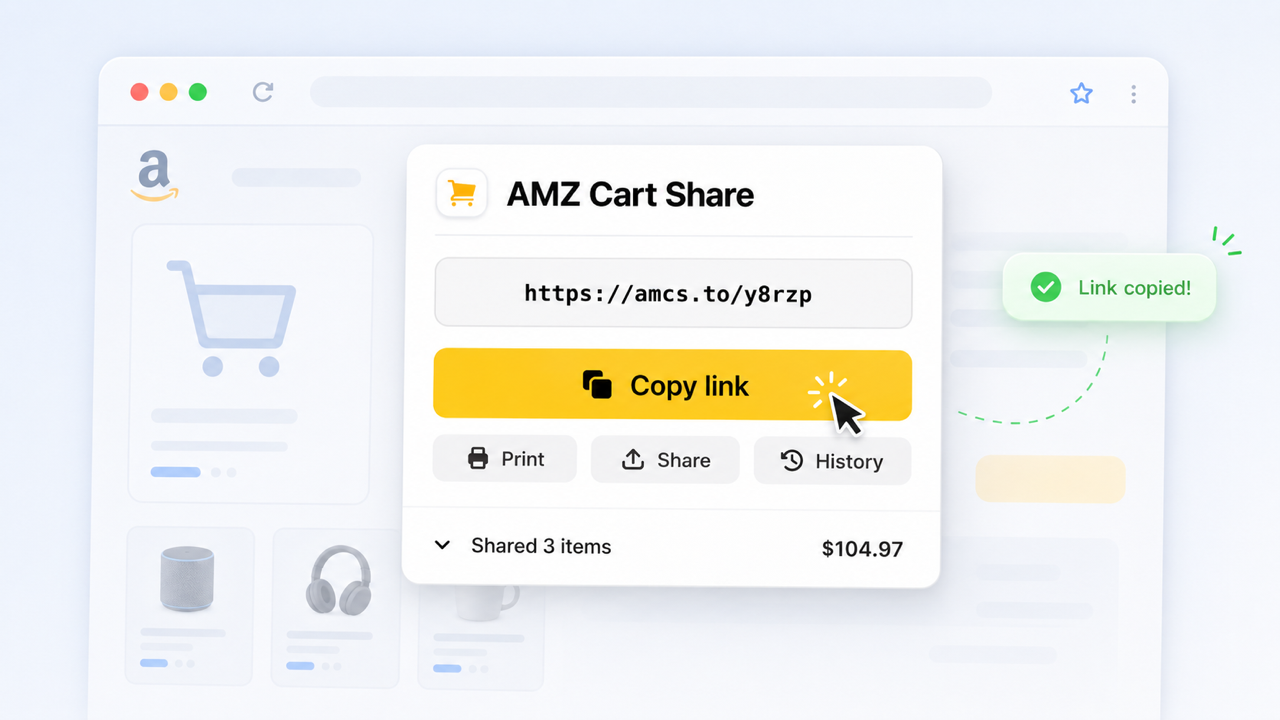
Share your entire Amazon cart as a link, and send it to your family with AMZ Cart Share.
The link includes all the items in your cart, plus the quantities. The person receiving the link does not need to install the extension - they can open your shared cart link directly, review the items, and add them to their own Amazon cart.
Click here to install AMZ Cart Share for Chrome
Why families need a better way to share Amazon carts
Sometimes one person knows exactly what needs to be bought, but another family member is the one paying / approving / gifting / ordering from their own Amazon account.
Maybe you’re putting together a birthday list to send to your parents, or a grocery list to give to your partner for them to purchase.
Copying & sending individual Amazon links sort of works when there are only a couple of items. But once you’re sending a larger list, it gets messy - you end up with a jumble of links and notes that someone has to de-code later on.
And most shared carts are larger lists. In our analysis of 40,000+ carts shared with AMZ Cart Share, the median cart had 7 different products, and the median item in US carts cost $17.99. It's usually a list of everyday things, not one big purchase.
That’s where AMZ Cart Share helps. Instead of sending separate product links, you send one cart link.
For a broader overview of all the different methods, see our complete guide to sharing your Amazon cart.
Sharing Amazon purchases with a spouse or partner
Most couples split household shopping into two kinds of purchases:
- Running needs like toilet paper, coffee, pet food, and cleaning supplies. Either partner notices something is low and adds it. A shared Amazon List works well here, because both of you can add items whenever you think of them, and whoever orders next buys from the list.
- Planned purchases like furniture for a new room, a camping setup, or a nursery. One partner usually does the research. Once the cart is ready, they can send it to the other with AMZ Cart Share to review before anyone buys.
If you share one Amazon account, you already see the same cart. Cart sharing matters when each of you has your own account, or when the person paying isn't the person who picked the items.
Sharing with other family members
AMZ Cart Share is useful whenever one family member builds the cart, but someone else needs to review, pay for, or buy the items.
Some common examples:
- Birthday or holiday gifts - send a cart of things you would actually like, instead of vague gift ideas
- Parents buying for adult children - especially for specific tech, camera gear, furniture, or apartment items
- Children helping parents order online - build the cart for them, then send it so they can purchase from their own account
- Shared household purchases - cleaning supplies, pantry staples, tools, storage, pet supplies, or home basics
With AMZ Cart Share, all your items stay together in a single link.
Instead of asking someone to open ten separate product links and remember which quantities you wanted, you send one link containing the exact items + quantities.
They can add them all to their cart in 1-click, saving them the hassle of wading through a bunch of disjoint links and messages.
Example: sending a birthday cart to your parents
Here’s a family use case I saw recently.
A son had his birthday coming up, and his parents wanted to buy him some camera equipment.
Instead of sending his parents a messy list of Amazon links and hoping they didn't miss anything, he used AMZ Cart Share to send them exactly what he wanted:
- A camera bag
- Two memory cards
- A spare battery
- And a new 35mm f2.0 prime lens (very fancy!)
His parents were able to open the link, review the shared items, add them to their own Amazon cart to purchase as their gift.
Avoiding duplicate purchases and coordinating quantities
The most common household shopping mistakes are two people buying the same thing, or someone buying the wrong quantity. A few habits help:
- Keep one source of truth. Use one shared List for running household needs rather than separate lists in each person's account.
- Hand off quantities, not just products. A product link doesn't say whether you need one pack or four. An AMZ Cart Share link carries the quantity for every item.
- Say who's buying. When you send a cart link, say whether you want the other person to order it, or just check it before you order.
- Re-send after changes. A cart link is a snapshot. If you change the cart, send a new link so nobody orders from an old version.
Sending a prepared cart to another household member
When the cart is ready, share it as one link. The recipient opens it, checks the items and quantities, and adds everything to their own Amazon cart, where they can still change anything before checkout.
The steps are below.
How to share an Amazon cart with family
1. Add the items to your Amazon cart
Start by adding everything you want to share to your Amazon cart.
Before creating your link, double-check you've got the correct items & quantities in your cart, and you've removed unrelated items.
2. Install the AMZ Cart Share extension
Install the free AMZ Cart Share extension for your browser.
AMZ Cart Share supports Chrome, Edge, and Firefox. You can start with the Chrome extension here:
Install AMZ Cart Share for Chrome
3. Open your Amazon cart
Go to your Amazon cart page.
This should be the cart containing the birthday items, groceries, gifts, or household purchases you want to send.
4. Create your shareable cart link
Click the AMZ Cart Share extension icon in your browser.
If you don’t see it, click the puzzle-piece icon - 🧩 - in the top-right of Chrome, and then find it in your list of installed extensions.
Once clicked, AMZ Cart Share will automatically generate a shareable link containing the items in your cart, including the quantities you selected.

AMZ Cart Share creates a single link containing the Amazon cart items you want to send to family.
5. Send the link to your family member
Copy the link and send it wherever your family usually talks.
That might be iMessage, WhatsApp, email, Messenger or a family group-chat.
You might want to add a little bit of context, like if some items are optional or particularly important.
What your family member sees
The person receiving your cart link does not need to install AMZ Cart Share.
When they open your link, they can view the items you shared and add them to their own Amazon cart. Here’s an example cart page to give you an idea of what they’ll see.
They can review the list first, then add all your shared items into their own cart for easy checkout.
Collaborative Amazon Lists for households
An Amazon List is a saved collection of products that lives outside your cart. You can invite other people to a List, either to view it or to add and edit items. Every collaborator sees the same, up-to-date List. See our guide to creating and sharing an Amazon shopping list, or Amazon's help page on Lists for the current invite options.
Shared Lists work well for households because they suit things that change over time:
- A running grocery or household-supplies list
- A "things we need for the new place" list while you're moving
- A family gift-ideas list ahead of birthdays or the holidays
What a List doesn't do is act as a shared cart. Items still have to be added to a cart and bought by one person, and quantities aren't as central as they are in a cart.
Shared cart vs shared List: which should your family use?
Amazon Lists are for ongoing, collaborative planning. AMZ Cart Share is for a one-time handoff of a prepared cart. Many families use both.
| Feature | AMZ Cart Share | Amazon List / Wishlist |
|---|---|---|
| Shares your existing Amazon cart | Yes | No |
| Keeps item quantities included | Yes | Limited |
| Multiple people can add or edit items | No (read-only snapshot) | Yes, with edit access |
| Updates live as items change | No, send a new link | Yes |
| Good for one specific purchase | Yes | Sometimes |
| Good for an ongoing household list | Sometimes | Yes |
| Recipient needs to install anything | No | No |
| Useful for family group chats | Yes | Sometimes |
When to use a List or Wishlist
- Several people need to add items over weeks or months
- You want a gift list relatives can browse, like a birthday, Christmas, or baby list
- Nobody has decided exactly what to buy yet
When to use AMZ Cart Share
- The cart is already built and you want someone else to review or buy it
- Quantities matter, like pantry restocks or party supplies
- You want the recipient to add everything to their cart in one step
AMZ Cart Share also supports sending hundreds of items in a single link, which is handy for large carts.
When not to use AMZ Cart Share
AMZ Cart Share is great for sending a prepared cart to another person.
It may not be the right tool if:
- You want a public gift registry that stays active for months
- You want several relatives to collaboratively edit the same list over time
- You only need to share one single product link
For those situations, a shared Amazon List, Wishlist, or registry is a better fit.
Is AMZ Cart Share safe for family purchases?
AMZ Cart Share is designed to do one thing, and one thing well - share the items in your Amazon cart as a link.
The extension only needs access to your Amazon cart page so it can read the items and quantities you choose to share. It does not give your family member access to your Amazon cart or anything else in your Amazon account.
AMZ Cart Share is featured on the Chrome Web Store, where it is used by 12,000+ shoppers, and rated 4.4/5. It's also used by hundreds of US schools and businesses to co-ordinate their purchasing, so you're in good hands.
FAQ
Can I share an Amazon cart with my family?
Yes. You can use AMZ Cart Share to create a shareable link from your Amazon cart, then send that link to a parent, partner, child, grandparent, or other relative.
They can open the link, review the items, and add them to their own Amazon cart.
How do couples manage shared Amazon purchases?
Most couples use a shared Amazon List for running household needs that either partner can add to. For bigger planned purchases, one partner builds the cart and sends it to the other to review, for example with an AMZ Cart Share link.
Can two people edit the same Amazon cart?
No. An Amazon cart belongs to one account. If you both want to add and edit items, share an Amazon List instead. If one of you has already built a cart, send it to the other with AMZ Cart Share.
What are the advantages of collaborative shopping tools for households?
You get fewer duplicate purchases, the right quantities, and one place to see what's needed. The person placing the order also doesn't have to piece together a request from scattered messages and product links.
Does my family member need to install the extension?
No.
Only the person creating the cart link needs the AMZ Cart Share extension. The person receiving the link does not need to install anything.
Are quantities included?
Yes.
For example - if your Amazon cart has 2 Sandisk SD cards, 1 Lowepro camera bag, and 3 storage bins, those quantities are included when you create your AMZ Cart Share link.
Can I change my cart after sending the link?
Your shared cart link does not automatically update.
If you change your Amazon cart after creating the link, you'll need to generate a new link with AMZ Cart Share, and send the updated version.
Can my family member remove items before purchasing?
Yes.
Your family member purchases from their own Amazon cart, so they can review the items before checkout.
If they only want to buy some of the items, or if they need to change quantities, they can adjust the order after opening your shared link.
Can I use AMZ Cart Share to help an older parent order things?
Yes - that's actually a pretty common use-case for our extension!
You can build the Amazon cart yourself, create a cart link, then send it to your parent so they can review and buy the items from their own Amazon account.
This can be handy for helping them order everyday supplies, or even groceries.
What browsers does AMZ Cart Share support?
AMZ Cart Share supports Chrome, Edge, and Firefox.
You can visit the extensions page to install the right version for your browser.
Related guides
- How to share an Amazon cart, 2026 Guide
- How to create & share Amazon Shopping Lists
- Best Amazon cart sharing apps & extensions
- How to share your Amazon cart by email
- Amazon cart sharing for businesses and office purchases
- Amazon cart sharing for schools and teachers
- AMZ Cart Share — Amazon cart share extension
About the Author
🙋♂️ Harrison Broadbent
Harrison is the founder/creator of AMZ Cart Share, a Chrome extension used by 12,000+ Amazon shoppers, schools, and businesses to share Amazon carts as links. He writes about ways to share, organize, and collaborate using shared Amazon shopping carts.
First published on 29th May, 2026