How to Export your Amazon Cart as a Spreadsheet
Want to export your Amazon cart as a list or spreadsheet?
Amazon doesn't offer any built-in way to do this. Your only options are screenshotting your cart page, or copy-pasting each item into a spreadsheet one by one. Neither is great, especially for bigger carts. Across 40,000+ carts shared with our companion extension, AMZ Cart Share, more than 1 in 10 had 25 or more different products.
AMZ Cart Export fixes this. It's a free Chrome extension that exports your entire Amazon cart to a CSV spreadsheet in one click. The spreadsheet includes each item's title, ASIN, quantity, unit price, total cost, and a direct product link.
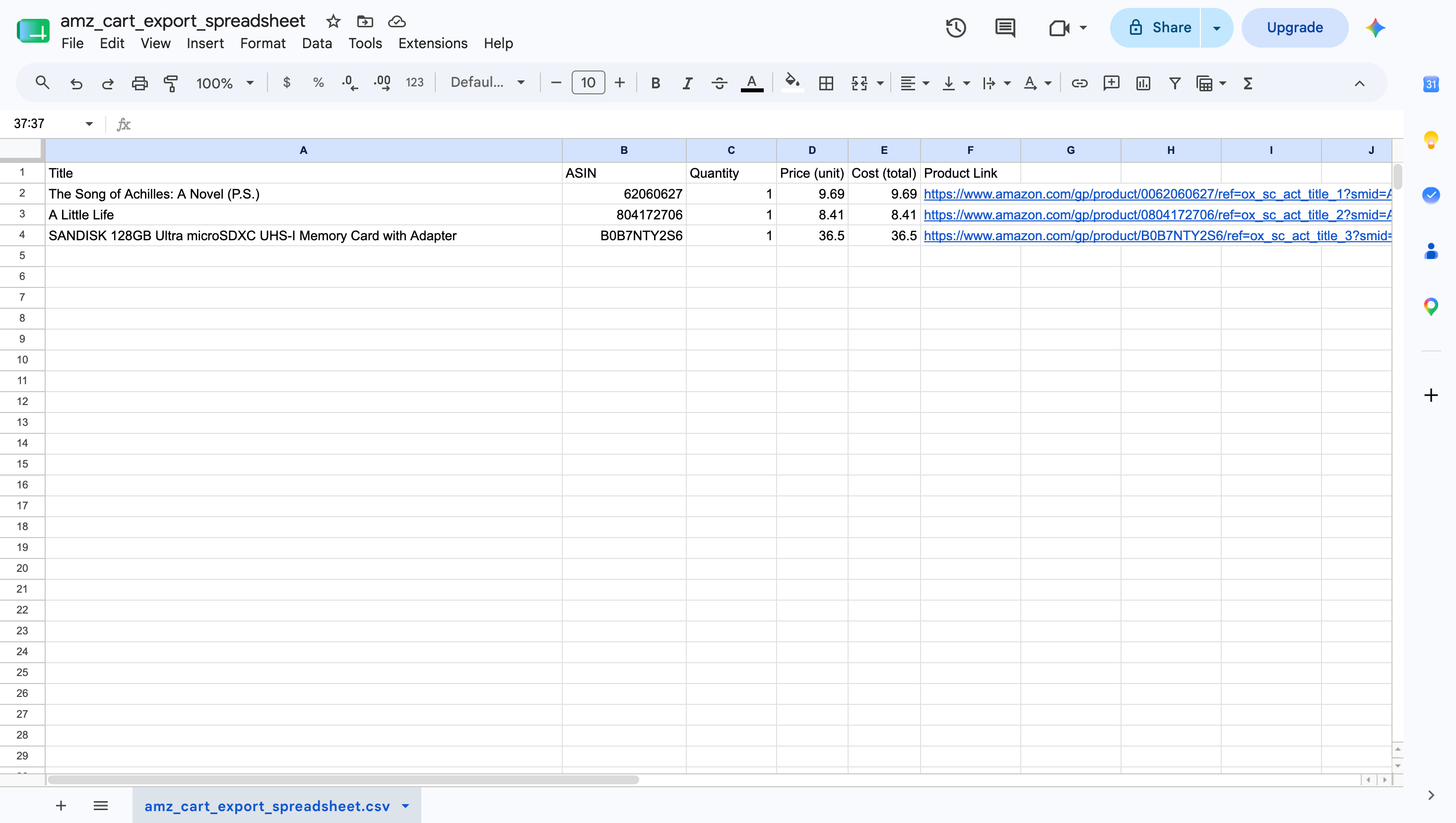
An exported Amazon cart spreadsheet opened in Google Sheets, showing item titles, ASINs, quantities, prices and product links.
A spreadsheet like this is useful for all sorts of things - if you work in procurement or purchasing, you can export your Amazon cart and send it to your finance team as a proper spreadsheet (way better than a screenshot).
It also works well for expense tracking, purchase orders, or just saving a record of what's in your cart before you clear it out.
How to export your Amazon cart
Here's how to export your Amazon cart as a CSV spreadsheet:
- Install AMZ Cart Export. Grab it from the Chrome Web Store (it's free)
- Export your cart. Visit your Amazon cart page, click the extension icon (top-right of your browser, click the 🧩 puzzle icon), and hit "Export Cart CSV".
- Open your spreadsheet. The extension downloads a
.csvfile that you can open directly in Excel, Google Sheets, or any other spreadsheet app.
That's it! Three steps and you've got a full spreadsheet of your Amazon cart items.
Can you export your Amazon cart to Excel?
Yep! The CSV file that AMZ Cart Export generates is fully compatible with Excel. Just double-click the downloaded .csv file and it'll open right up. Google Sheets works too.
If you want to import it into Google Sheets, go to File > Import and select the CSV.
Can you export your Amazon cart to another account?
If you're trying to export/move items from one Amazon account to another, a CSV export won't do that directly. But you can send the spreadsheet to someone and they can use the product links to add each item to their own cart.
If you'd rather send someone a link that adds all your cart items to their cart automatically, check out AMZ Cart Share. It's a companion extension that creates shareable cart links.
Exporting your Amazon cart as a list
The CSV spreadsheet is your list. Once exported, you've got a clean, organized record of every item in your cart. You can sort it, filter it, share it, or just keep it for reference. It's a lot more useful than a screenshot.
If you'd prefer a printed list instead, you can also print your Amazon cart with AMZ Cart Share.
Exporting your Amazon cart takes about 10 seconds with AMZ Cart Export. If you need more details, check out the AMZ Cart Export page for a full walkthrough.
About the Author
🙋♂️ Harrison Broadbent
Harrison is the founder/creator of AMZ Cart Share, a Chrome extension used by 12,000+ Amazon shoppers, schools, and businesses to share Amazon carts as links. He writes about ways to share, organize, and collaborate using shared Amazon shopping carts.
First published on 6th July, 2026